 C. Sivaraj
Social media content performance is now tracked in Google Search Console. Platform properties, rolling out through 2026, allow you to connect Instagram, TikTok, X, and YouTube accounts to see how your posts look and perform in Google Search and Discover without a website.
This addresses an important gap. Before, SEOs had to work separately with website analytics in Search Console and social metrics. Platform properties combine that data for the first time and show you which search queries are bringing people to your social content.
What Are Platform Properties?
Platform properties are a new kind of Search Console property. Rather than authenticating a domain you own, you authenticate a social account you control. Once you connect, Search Console provides data on impressions, clicks and queries for that platform’s content in Google Search.
Every connected account is its own property with its own reports. At launch it supports Instagram, TikTok, X and YouTube, but there may be more platforms to come down the line.
Important: platform properties reflect how your social content is doing in Google Search, not in the social app. Your Instagram Reels analytics stays in Instagram. This is a different layer of visibility info.
How to Connect Social Media to Google Search Console: A Step-by-Step Guide
Step 1: Log in to Google Search Console
Sign in with the Google account you’d like to use at search.google.com/search-console. It doesn’t have to match your social account email, but it can.
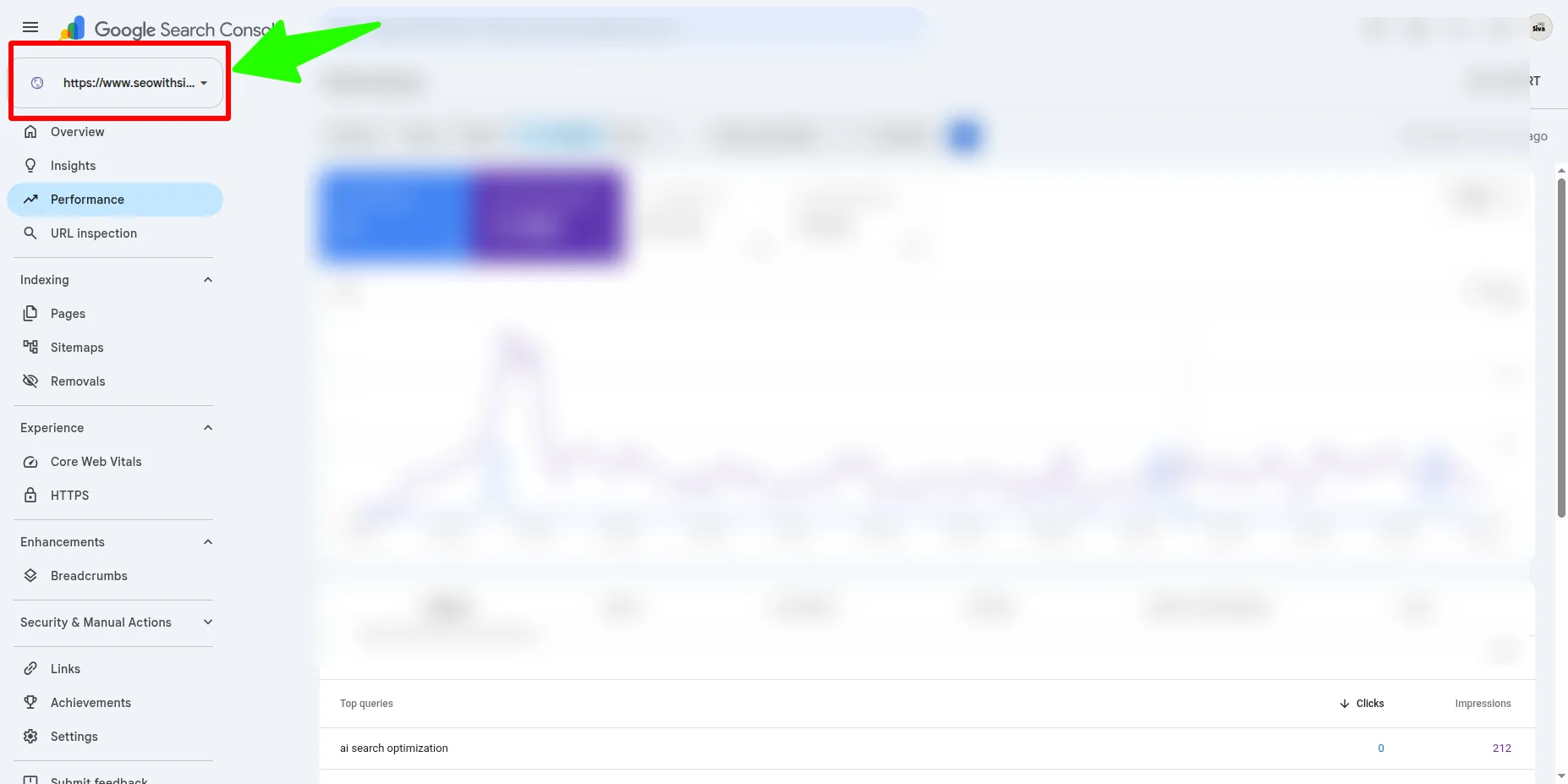
Step 2: Click on Add Property
Click the property selector dropdown in the top-left corner (where your current property name is displayed). Choose Add property from the menu.
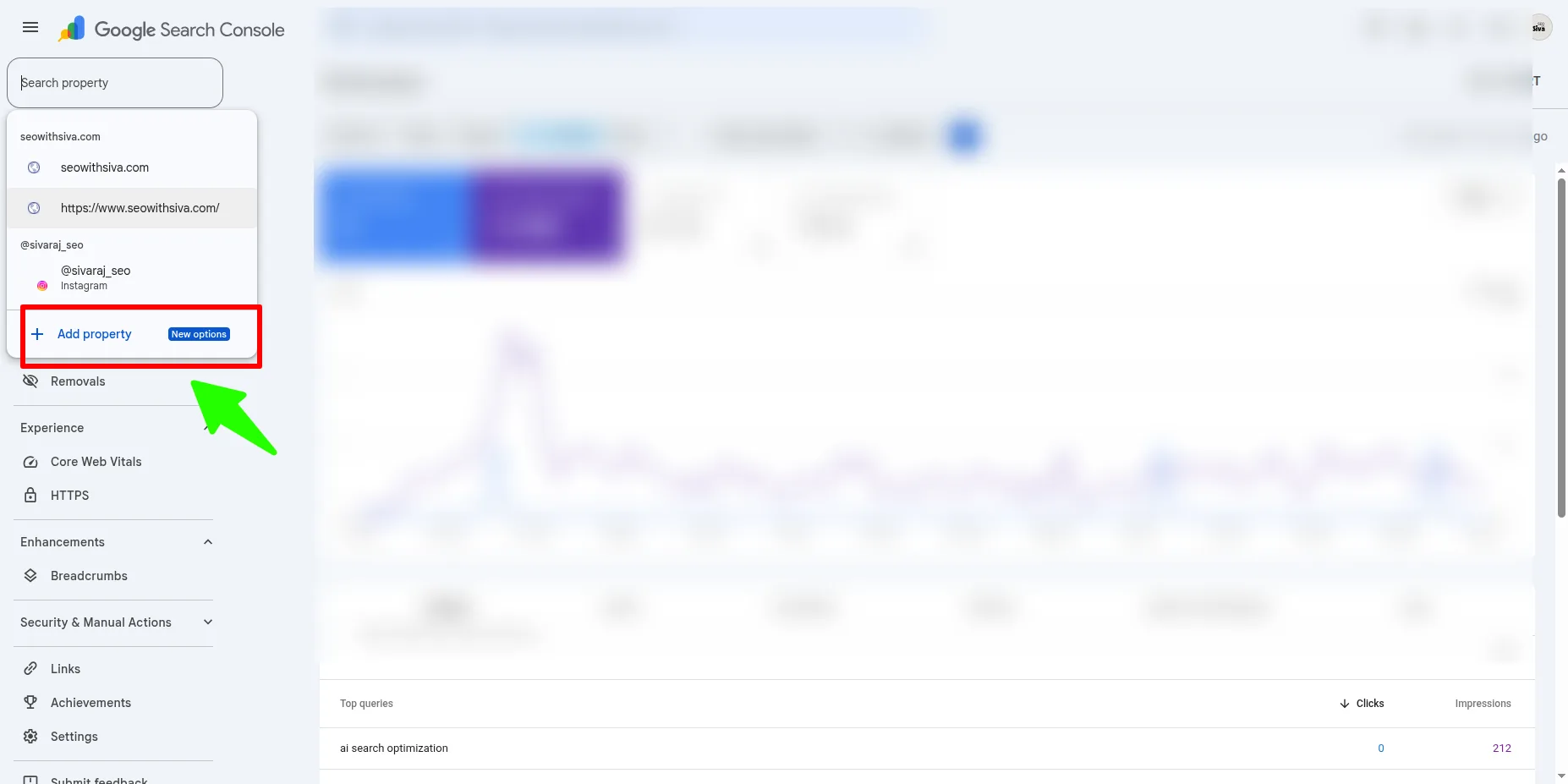
Step 3: Click “Platform Property”
Once the rollout has reached your account, you will see two options: Add a website and Platform property. Click on “Platform Property.”
Google is slowly rolling this out through 2026 - if you don’t see this option yet, check back in a few days. It’s not an account problem.
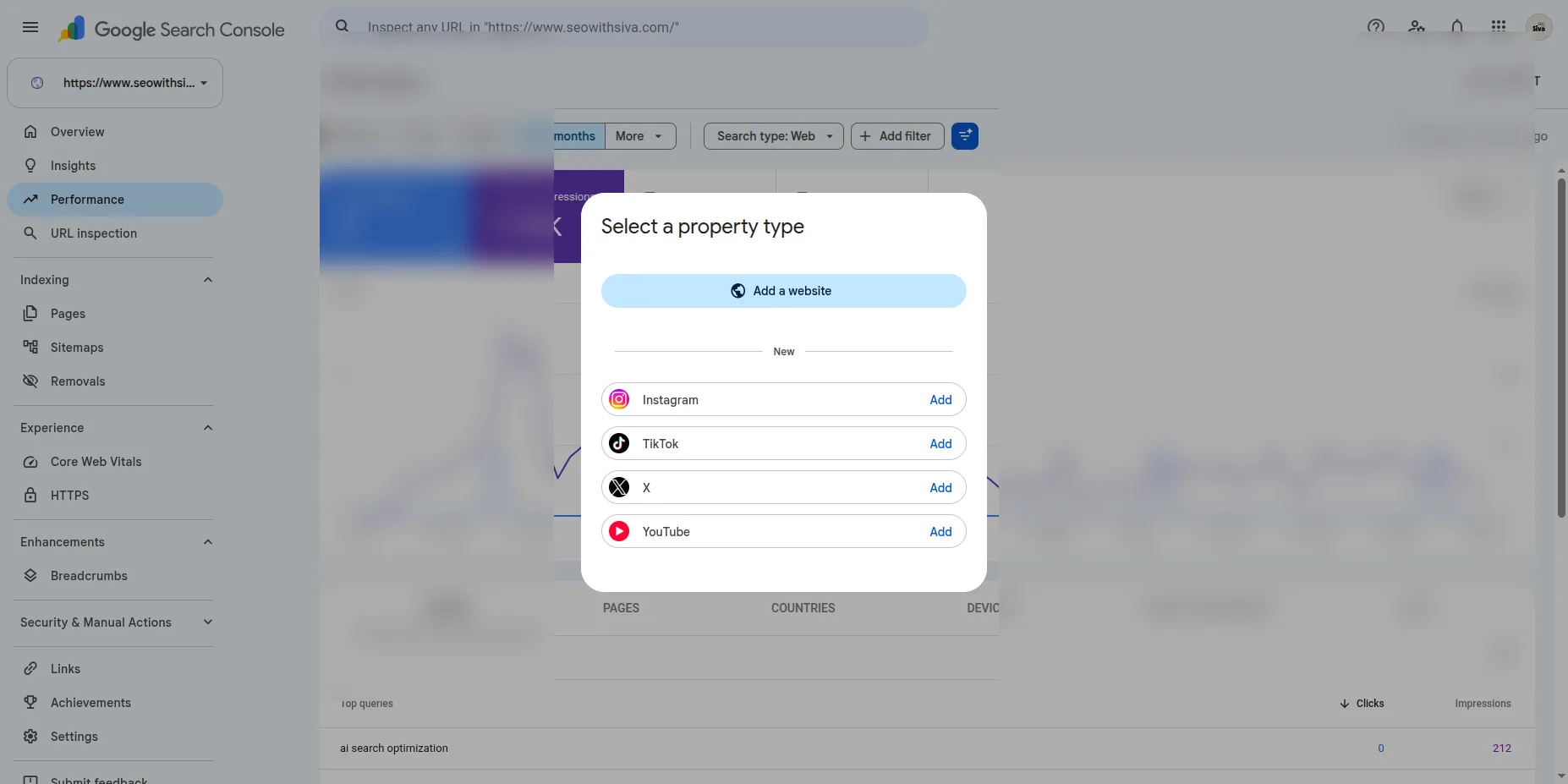
Step 4: Select Your Platform
Choose Instagram, TikTok, X, or YouTube from the list. You need to add each account individually.
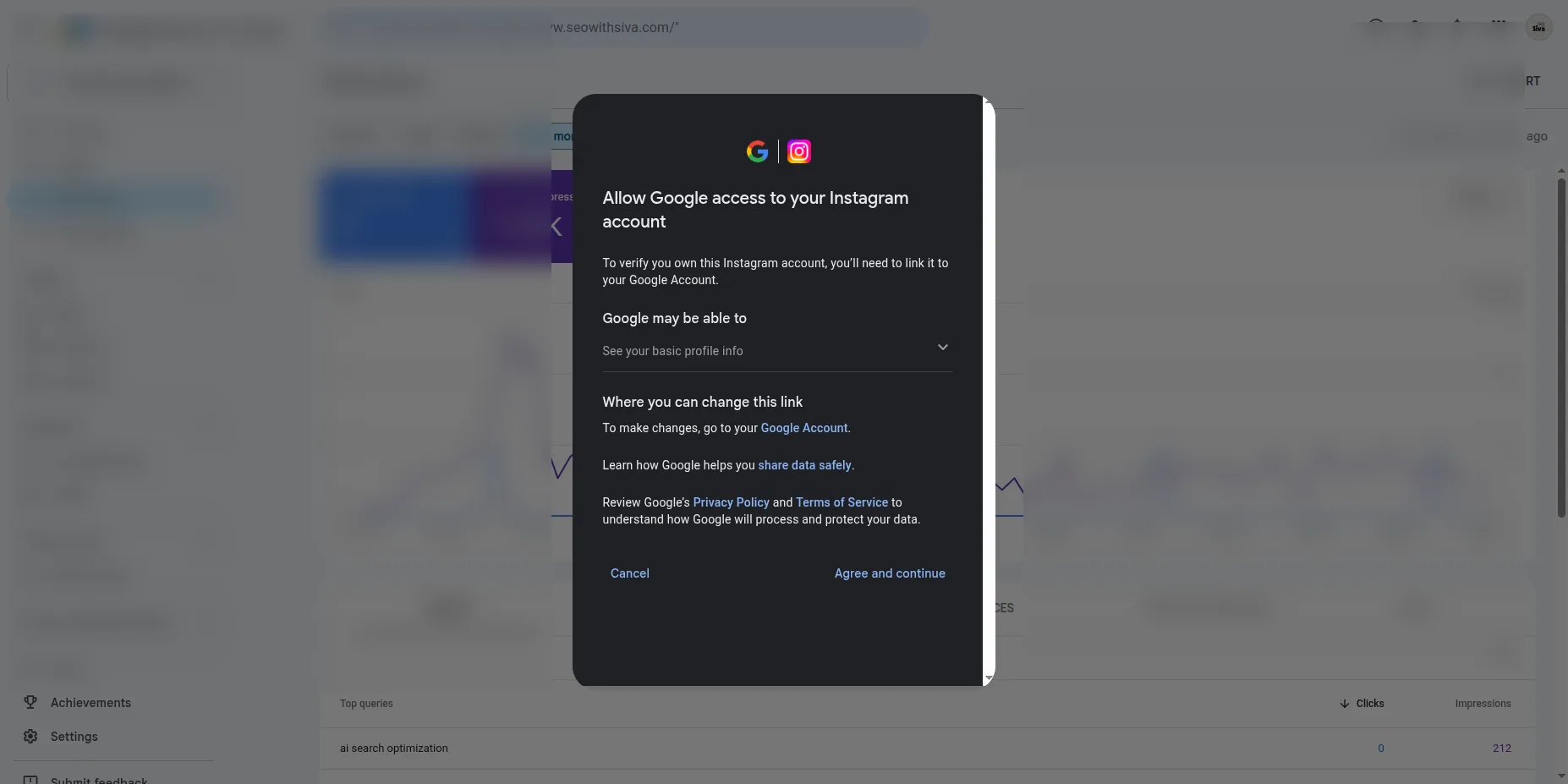
Step 5: Activate the Connection
Click Add and sign into the social account you’d like to connect. Follow the on-screen instructions to authorize Search Console to access that account.
You have to log in actively. This is not automatic - Google confirms that you own the account.
Step 6: Finalize Verification
Once authorized, you’ll see a confirmation message. Click Go to property to complete setup.
For each social account you wish to monitor, repeat steps 3-6.
What Data Will You Be Looking At?
Once verified, platform properties show:
- Performance measures: Total clicks, impressions, click-through rate (CTR) and average position
- Most popular queries: Google searches that lead to your posts
- Best of content: The posts and videos that perform best
- Filter by: Date range, platform, and query type
Data begins accumulating in 24-48 hours. The more you post, the more meaningful the reporting becomes.
Who Should Use Platform Properties?
This feature is most useful for:
- Content creators without their own website
- Influencers and influencer agencies tracking brand exposure
- Social-first publishers (TikTok, Instagram, YouTube creators)
- Social managers and agencies managing social accounts for their clients
- Brands measuring the impact of organic search on social awareness
If you don’t post a lot, or social is mainly used for existing customer engagement, the data will be leaner - but setup is free and takes minutes, so there’s no downside to connecting.
Significant Limitations
Platform properties are not a replacement for your platform’s native analytics. Instagram Insights still shows engagement, saves, and reach inside the app. Platform properties only report Google Search performance.
Each account requires its own platform property. If you have 10 brand accounts across TikTok and Instagram, that’s 10 different properties.
The feature began rolling out in July 2026. If you still don’t see the platform property option after mid-August, reach out to Google Support - it’s likely just a rollout delay.
FAQ
Do I need a website to use platform properties?
No. This is the first Search Console property type that doesn’t require you to verify a domain.
Can I connect multiple social accounts?
Yes, you can link multiple social accounts, one at a time. Each account is a separate property and reports separately.
How long until the data shows up?
24-48 hours after the first verification.
What if I manage customer accounts?
Add your client’s social properties to your Search Console. See Google’s help documentation on user access and permissions for details.
Will my data be shared with social platforms?
No. This data is only accessible to you and those you grant access to in Search Console.
What Next?
Add your first social property to Google Search Console this week. It’s free, takes 5 minutes, and starts collecting data you can’t get anywhere else.